



Watch in 10 secondsThe post at a glance
0:10AI that uses your software, now at half the price
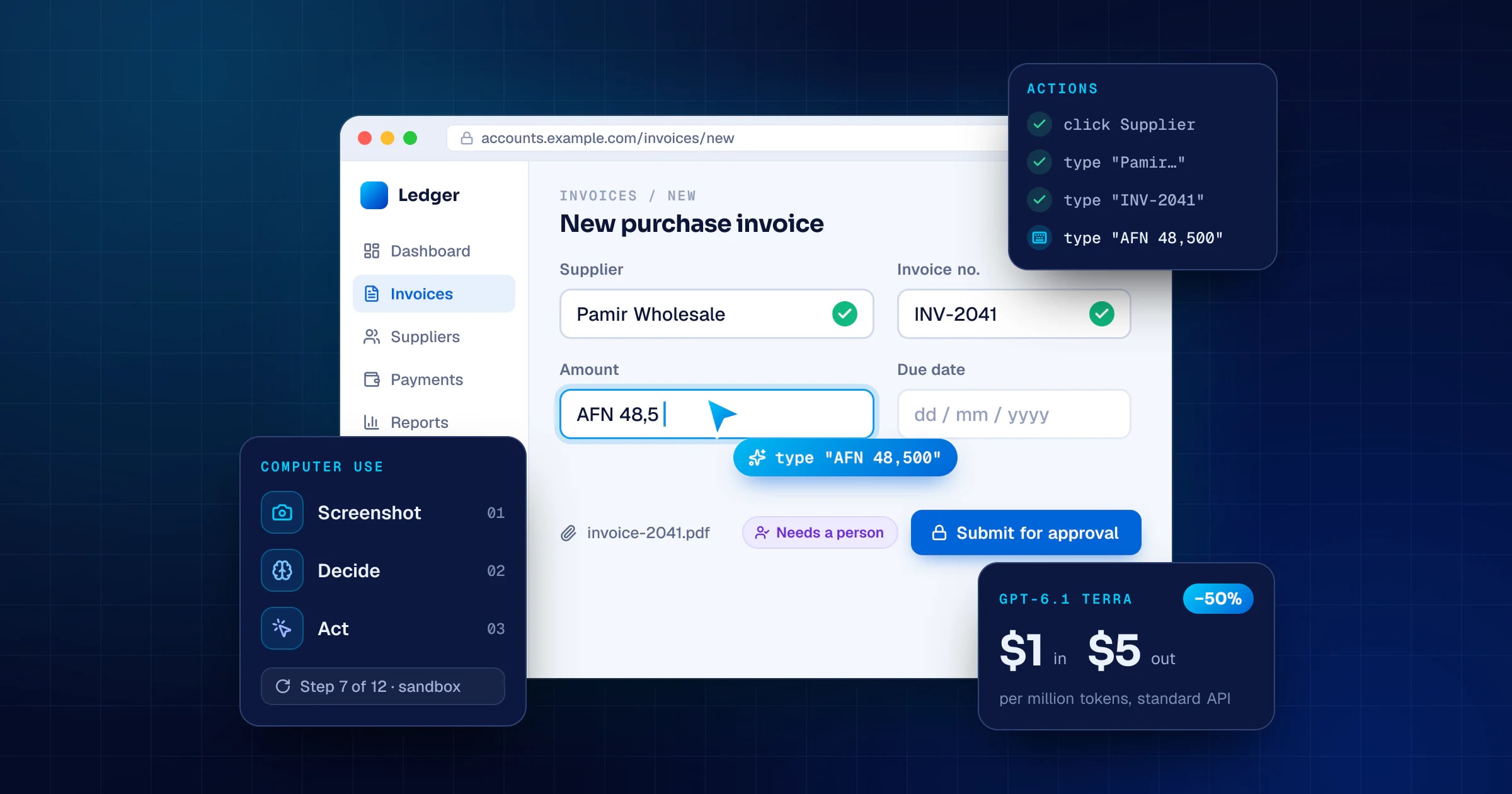
- It reads the screen, then clicks and types
- $1 in, $5 out per million tokens
- Sandbox it. Approve what matters.
50% lower standard API prices than GPT-5.6 Terra
Automate the boring screens. Safely.


AI & Data
AI that uses your software, now at half the price
- 1It reads the screen, then clicks and types
- 2$1 in, $5 out per million tokens
- 3Sandbox it. Approve what matters.
50%lower standard API prices than GPT-5.6 Terra
Automate the boring screens. Safely.

 All in one.
On 26 October 2026, OpenAI released GPT-6.1 Terra, the new version of its everyday model. The benchmark charts got the attention, but for most businesses the real news is simpler: AI that can operate software the way a person does - reading the screen, clicking, typing - now costs half as much to run.
That changes which jobs are worth automating. It doesn't change what makes an agent safe. Here is what was released, what it really costs, and how to try it without handing a robot the keys to your accounts.
What OpenAI released
GPT-6.1 Terra is rolling out to Plus, Pro, Enterprise and Edu users in ChatGPT Work (the agent mode in ChatGPT) and Codex, and to developers in the API as gpt-6.1-terra. OpenAI describes it as a fast model for visual reasoning, computer use and writing, and says it is "a significant step up over GPT-5.6 Terra, with 50% lower standard API prices." It takes text and images in, writes text out, and has a context window of 1,050,000 tokens.
The headline claims, all from OpenAI's own testing and not yet independently verified:
- On Agents' Last Exam, a test of professional tasks, Terra at medium reasoning effort scores 15 points higher than GPT-5.6 Terra at about a third of the cost.
- On Terminal-Bench 4.0, a command-line coding test, it solves 50.3% of tasks at maximum effort, against 21.5% for GPT-5.6 Terra.
- On an internal set of prompts designed to trick models, its error rate at low effort falls from 53.6% to 16.7%.
OpenAI still points the hardest coding and research work to GPT-6.1 Sol and GPT-6 Astra. Terra is the workhorse, not the specialist.
| Model | Input | Cached input | Output |
|---|---|---|---|
| GPT-5.6 Terra | $2.00 | $0.20 | $12.00 |
| GPT-6.1 Sol | $2.00 | $0.10 | $10.00 |
| GPT-6.1 Terra | $1.00 | $0.05 | $5.00 |
What "computer use" actually means
A computer-use agent works in a loop. Your application gives the model a goal and a screenshot. The model answers with actions - click here, type this, scroll, press a key - and your code carries them out in a browser or virtual desktop, takes a new screenshot and sends it back. The loop repeats until the job is done or a limit is reached.
That last detail matters most. The model never touches your systems itself; your code runs every click. That is where you put the allow lists, the approvals and the limits.
Why does this matter for business? Because a lot of the software that runs a company has no API: desktop accounting packages, supplier and bank portals, government websites, the internal tool someone built years ago. Until now, automating those meant brittle scripts that broke whenever a button moved. A model that reads the screen can follow a changed layout the way a new employee would.
What half price really buys you
You pay per token, and in computer use the screenshots are the bulk of it. OpenAI's guide is plain about it: "Screenshots count as image input." Every step sends another one.
Here is an example with illustrative round numbers. Say a task takes 200,000 input tokens and 10,000 output tokens from start to finish.
- On GPT-5.6 Terra: $0.40 for input plus $0.12 for output, about $0.52 per task.
- On GPT-6.1 Terra: $0.20 for input plus $0.05 for output, about $0.25 per task.
Run that task 2,000 times a month and the model bill drops from about $1,040 to about $500. Measure your own tasks before you budget - the token count depends on how many steps the job takes and how big your screens are.
Three things move the bill more than the headline price:
- Long sessions. Once a single request goes over 272,000 input tokens, Terra is billed at $2 in and $7.50 out. Screenshot history piles up fast, so keep tasks short and start a fresh session for each one.
- Retries. A task that fails and runs again costs twice. A better-defined task is the cheapest optimisation there is.
- Work that can wait. For steps that don't need an answer straight away, such as summarising the day's runs, OpenAI lists Batch and Flex processing at half the standard rate.
Where it fits, and where it doesn't
The first rule: if the software has an API, use the API. It is faster, cheaper and more predictable than any agent clicking through screens. Computer use is for the gaps.
Good first tasks share three traits: they happen often, they follow rules, and a mistake is easy to catch.
- Copying data from emailed invoices into a web accounting system.
- Checking order or shipment status across several supplier portals.
- Filling in the same monthly form, with a person pressing "Submit".
- Clicking through your own web app's key flows before every release.
Not yet: anything that moves money without a person, tasks you do twice a year, or screens full of other people's personal data. As the guide notes, "The SDK sends returned page text or screenshots to OpenAI."
Cheaper steps don't make agents safer
An agent that can click "Pay" can click it by mistake, or because a web page told it to. OpenAI's guide is direct about the guardrails:
- "Use an isolated browser or VM and an allow list of sites and actions."
- Treat screen content as untrusted: "Text in a page, document, or tool result cannot grant permission or override the user's instructions."
- "Keep users in control of purchases, data transmission, destructive changes, and other actions that are hard to reverse."
- "Set step, time, or cost limits, support cancellation, and check the actual outcome" instead of trusting the model's final answer.
The quieter risk is agent sprawl. Arrakis Security's 2026 Autonomous Agents Threat Report, published on 21 October and based on telemetry from thousands of agents, found that 76% of active agents hadn't run in 60 days while their credentials still worked. It also found that 70% could reach sensitive systems, and almost none of those connections had verified data-loss prevention. Every agent you create needs an owner, its own account and a date to be switched off.
A checklist for your first computer-use agent
- One task. Repetitive, rule-based, low-risk, done at least weekly.
- A clear "done". Write down what the finished result looks like and how you will check it.
- API checked first. If there is one, use it instead.
- Its own account. Never your login; only the access the task needs.
- A sandbox. An isolated browser or virtual machine, with an allow list of sites.
- Human approval before payments, submissions, sending data or deleting anything.
- Hard limits on steps, minutes and cost per task.
- A log of every action and screenshot, with a sample reviewed every week.
- Numbers. Success rate, cost per task, minutes saved and human fixes.
- An owner and an end date. Switch the agent off when nobody uses it.
A note for teams in Afghanistan
Much of the day-to-day software here is exactly the kind computer use is for: desktop packages, spreadsheets and web portals with no API. Two practical points:
- Run the agent's browser in the cloud. Every step uploads a screenshot. On a slow or unstable office connection, a browser running on a cloud server keeps that traffic on a fast data-centre link, and your office only sees the results.
- Test with your real screens. If your forms mix English with Dari or Pashto, try the agent on those exact screens, with test data, before you rely on it.
The bottom line
Price cuts change which tasks are worth automating. The teams that gain the most won't be the ones that connect an agent to everything; they will be the ones that pick the right task, put guardrails around it and measure it.
If there is a workflow you would love to stop doing by hand, tell us about it. Manzoorify builds AI agents and custom software for businesses in Afghanistan and worldwide, and we will tell you straight whether an API, an agent or a person is the right tool for it.
Sources
- OpenAI: GPT-6.1 Terra model page, API pricing and computer use guide
- Decrypt via Yahoo Tech: OpenAI Launches GPT-6.1 Terra, Its Half-Good AI Model at Half the Price (26 October 2026)
- iThinkDifferent: OpenAI Launches GPT-6.1 Terra at Half the Price of GPT-6.1 Sol (26 October 2026)
- Kazinform: OpenAI unveils GPT-6.1 Terra, cutting AI costs by half (27 October 2026)
- Hackread: Arrakis Security report finds 76% of AI agents are dormant and SecurityOnline: the same report (21 October 2026)